Free · no sign-up · auto-deletes in 24 h
Convert anything into editable Word — and every PDF tool you need.
Real OCR reads scans and photos. Real layout analysis keeps your tables, headings and structure. Merge, split, compress, protect — all free, all private.
The PDF toolkit
PDF to Word
Convert PDF to editable Word
Kruti Dev to Unicode
Kruti Dev PDF to Unicode Word
Image to Word
Turn a photo into an editable Word document
Searchable PDF (OCR)
Make a scanned PDF searchable
Merge PDF
Merge PDFs into one file
Split PDF
Split a PDF or extract pages
Compress PDF
Compress a PDF
Images to PDF
Combine images into one PDF
Watermark PDF
Add a watermark to a PDF
Protect PDF
Password-protect a PDF
Unlock PDF
Remove a PDF password you know
PDF to Images
Export PDF pages as images
Remove Pages
Remove pages from a PDF
Extract Pages
Extract pages from a PDF
Organize PDF
Reorder the pages of a PDF
Rotate PDF
Rotate a PDF
Page Numbers
Add page numbers to a PDF
Word to PDF
Convert Word to PDF
PowerPoint to PDF
Convert PowerPoint to PDF
Excel to PDF
Convert Excel to PDF
HTML to PDF
Convert HTML to PDF
PDF to Excel
Convert PDF tables to Excel
Repair PDF
Repair a damaged PDF
Crop PDF
Crop the margins of a PDF
Redact PDF
Redact text from a PDF
Sign PDF
Sign a PDF
Add Text to PDF
Add text to a PDF
PDF Forms
Make a PDF fillable
Compare PDF
Compare two PDFs
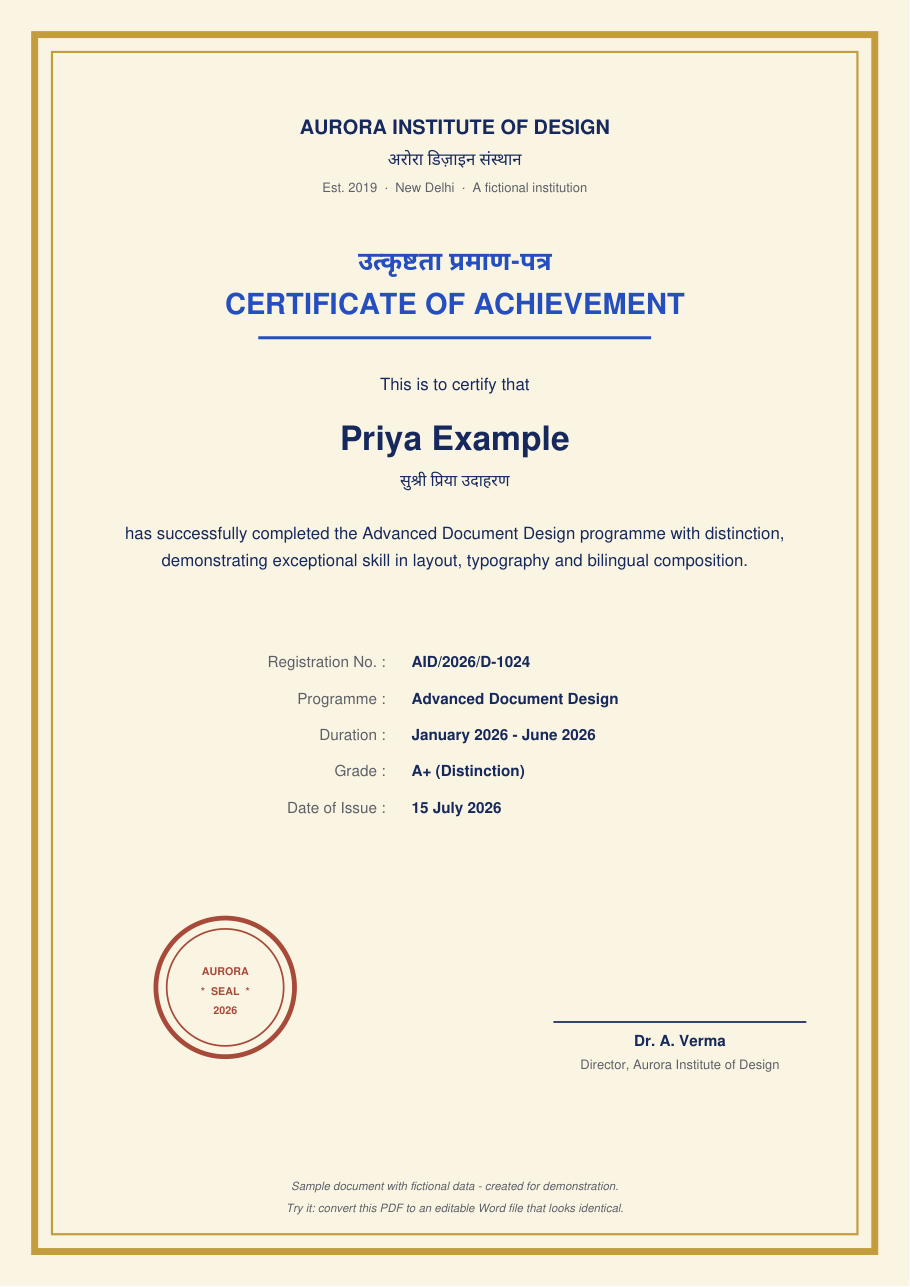
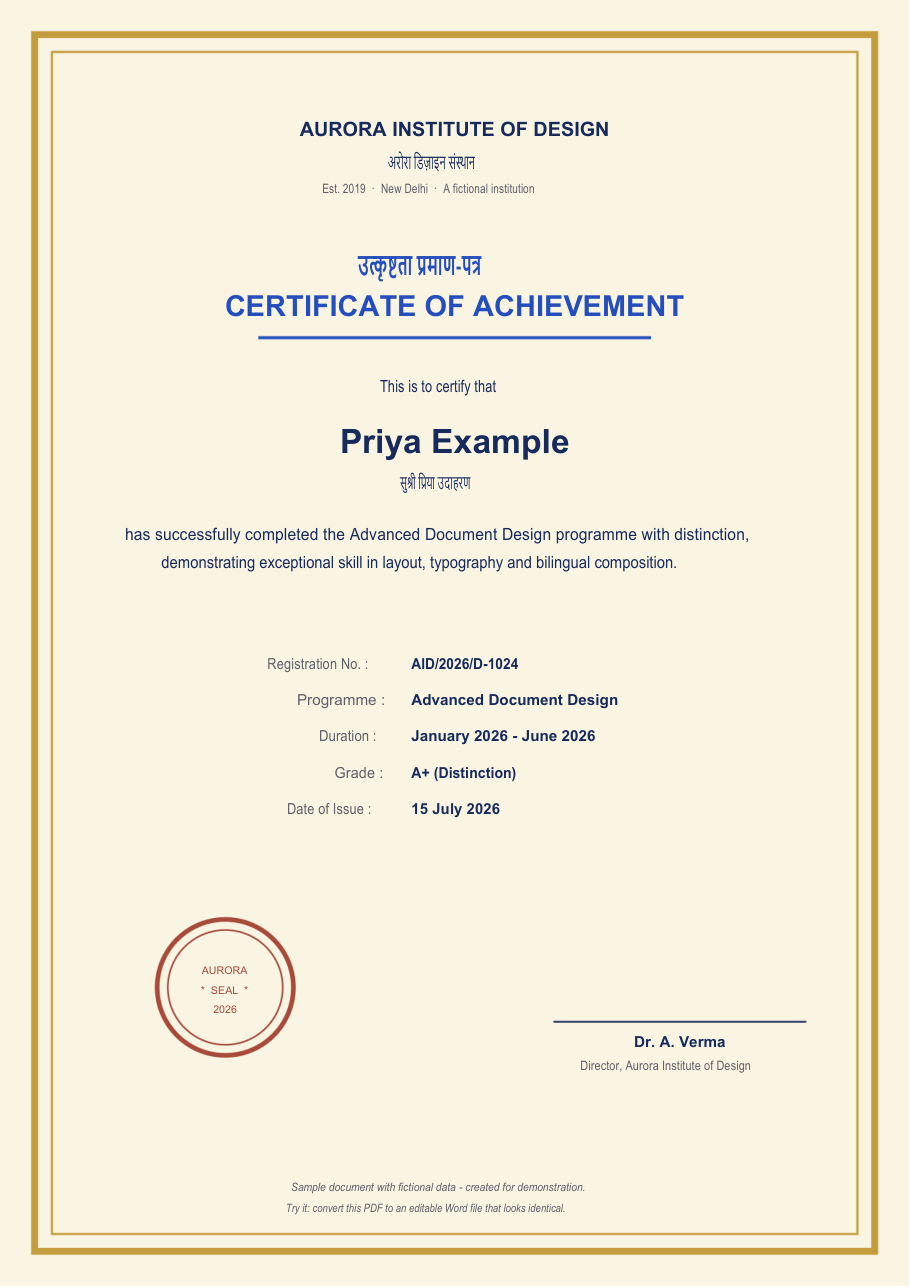
Comes back identical — and editable
The output below is real and unedited: a designed, bilingual sample certificate converted to Word, then rendered by Microsoft Word itself. Every field is editable text; the seal, border and layout survive.
Three steps, no manual
Drop a file
PDF, Word, Excel, PowerPoint, images or scans — up to 25 MB.
We read it properly
Layout analysis + OCR rebuild the document's real structure, not a screenshot of it.
Download the result
Editable Word, searchable PDF, images and more — then it all self-deletes within 24 hours.
Frequently asked questions
Is this really free?
Yes — every tool, with no account, no watermark and no trial wall. Fair-use limits (25 MB, 150 pages) exist only to keep the service fast for everyone.
What happens to my files?
They live in a private workspace only your browser knows, and every upload and converted result is permanently deleted within 24 hours. No backups, no sharing, ever.
Do scanned documents work?
Yes. OCR runs automatically on scans and photos — including Hindi and other Devanagari text — before conversion.
How accurate is PDF to Word?
Structure is the point: headings, lists and tables are rebuilt as real Word structures. Across a 219-document test corpus we measure 93.8% text retention; dense graphic layouts re-typeset rather than pixel-match, and we say so instead of pretending.
Do I need to install anything?
No — everything runs in the browser against our conversion service. There's also a free Android app if you prefer scanning from your phone.
Can I convert multiple files?
Yes — merge PDFs and combine images into a PDF support up to 20 files at once, in the exact order you choose.
More questions? Read the full FAQ.